
The Desktop Productivity Timer Engineered for Deep Work
No ads, no monthly subscriptions, and no browser tab clutter. FocusFlow is a native Windows Pomodoro timer featuring an always-on-top mini floating widget, non-destructive full-screen celebration overlays, and offline streak tracking.
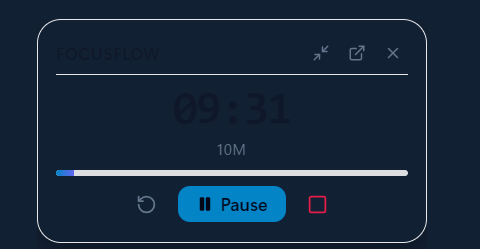
Pins seamlessly above VS Code, Chrome, or Figma with one-click compact pill mode.
Experience Flow State In Your Browser
Test the minimalist UI, countdown physics, and non-destructive celebration before downloading the native Windows app.
Engineered to Keep You in the Zone
Every feature in FocusFlow was intentionally designed to protect your attention, eliminate context switching, and make productivity deeply rewarding.
Mini Floating Counter
A distraction-free, pinnable widget that stays gracefully on top of VS Code, Chrome, or Figma. One-click minimize to ultra-compact pill mode with zero desktop clutter.
- Pinned always-on-top above all apps
- One-click minimize to compact pill mode
- Global shortcut: Ctrl+Shift+P
Non-Destructive Celebration
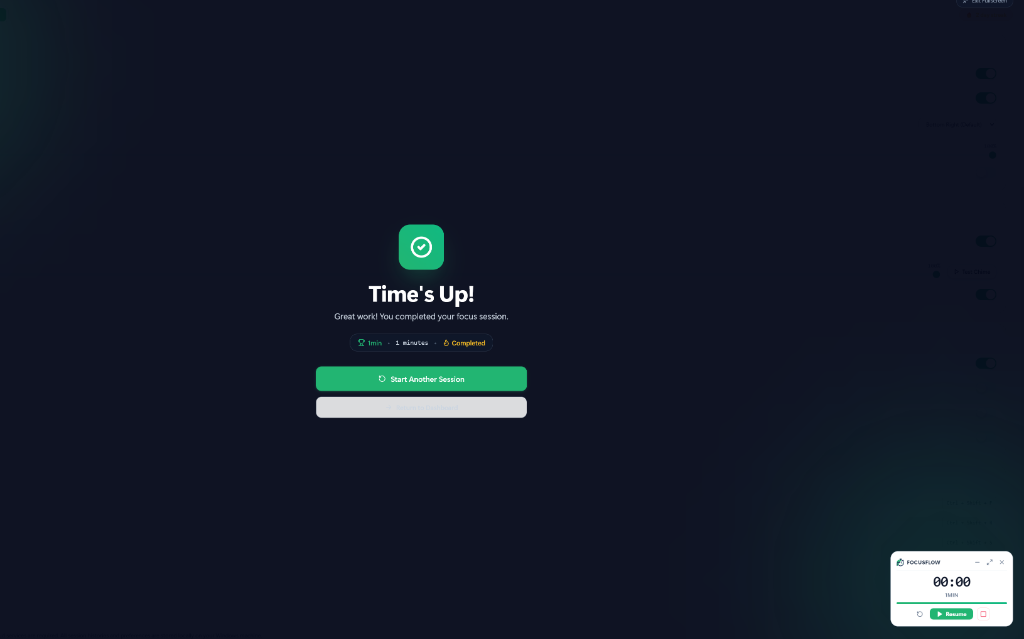
When your focus session completes, a dopamine-boosting celebration overlay appears over your screen with sound chime and confetti. Built as an independent window that never shifts your open windows.
- Independent screen-saver z-order overlay
- Your open windows & layout remain untouched
- Custom audio chime & visual celebration
Daily Streaks & Insights
Gain clarity on how your hours are spent. Track daily streaks, weekly distributions, and detailed focus histories—all persisted locally in %APPDATA% without external cloud tracking.
- Daily streak accountability & habit stats
- 100% private, human-readable local JSON storage
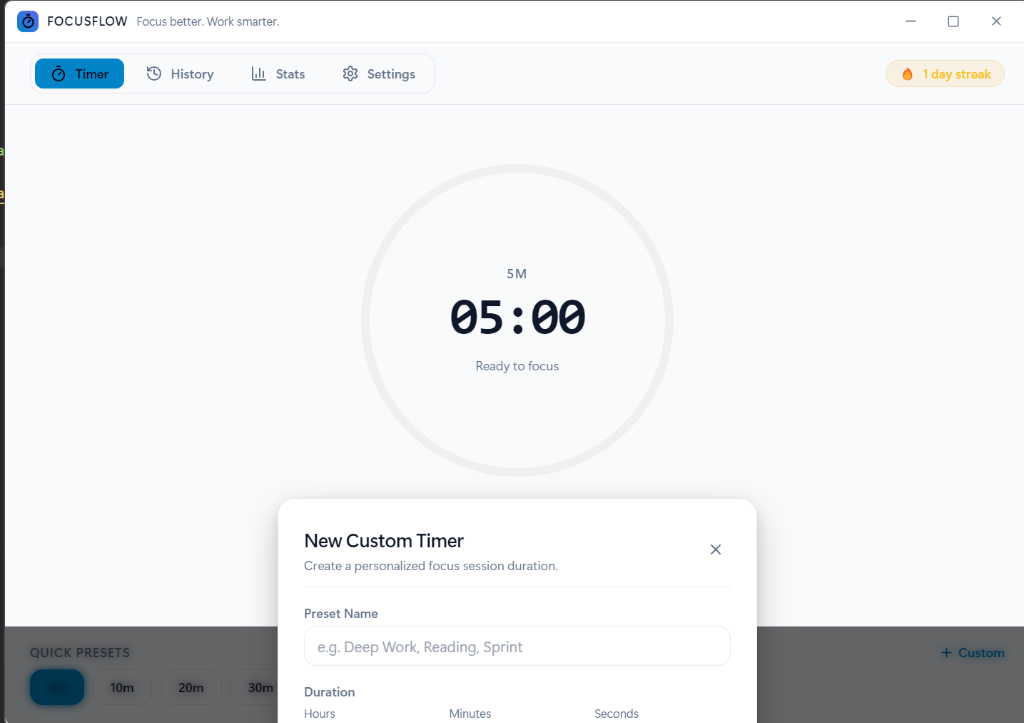
- Quick custom preset duration builder
Why Deep Workers Choose FocusFlow
Compare FocusFlow side-by-side with browser timer tabs and paid mobile apps.
| Core Productivity Feature | FocusFlow (Desktop) | Web Browser Timers | Mobile / Cloud Apps |
|---|---|---|---|
Always-On-Top Floating Counter Pins directly over VS Code, Chrome, or Figma with compact pill mode. | |||
Full-Screen Non-Destructive Celebration Rewarding chime & confetti in independent overlay window without resizing your apps. | |||
Zero Ads, Subscriptions, or Paywalls No artificial limits, no paywalls, and no subscription fatigue. | 100% Free & MIT | Ad Banners & Popups | $4.99 - $9.99/mo Paywalls |
100% Offline & Private (Zero Tracking) Saved in human-readable local JSON (%APPDATA%\focusflow). Zero telemetry. | |||
Native Global Windows Hotkeys Start, pause, and reset instantly from any app without switching windows. | Ctrl+Shift+P / R | ||
Sleep / Wake Zero-Drift Timer Engine Timestamp-calculated countdown remains perfectly in sync after laptop lid close. | |||
Custom Preset Duration Builder Build tailored study or sprint blocks with custom labels and exact durations. | Hours, Min, Sec | Fixed Presets Only | Premium Locked |
Ultra-Low Memory & Battery Usage Lightweight, highly optimized desktop process that runs quietly in the background. | < 60MB RAM | 300MB+ (Chrome Tab) | Battery Drain |
How Top Performers Use FocusFlow
Whether you write code, design interfaces, author books, or prepare for exams, FocusFlow adapts to your unique flow state requirements.
Stay Locked into Tough Refactors & Bug Hunts
Coding requires complex mental stacks. When you get interrupted by a tab switch, re-building that mental model costs 23 minutes. FocusFlow's floating pill stays above VS Code or Terminal without blocking your code.
Loved by Developers, Creators & Students
Join thousands of professionals reclaiming their attention and building sustainable focus habits on Windows.
“The floating widget alone makes FocusFlow irreplaceable. I keep it pinned at the top-right corner of my dual-monitor setup while debugging complex microservices. Zero distractions, zero tab hunting.”
“Most Pomodoro apps treat you like an advertising revenue stream with endless push notifications. FocusFlow is refreshing: runs 100% offline, consumes 40MB RAM, and the celebration overlay gives me a genuine burst of accomplishment.”
“The zero-drift sleep/wake calculation is pure engineering brilliance. I close my ThinkPad lid, commute to a coffee shop, open it up, and my timer is accurately synchronized. Portable version runs straight off my USB key.”
“I passed my professional bar exam thanks to FocusFlow's streak tracking. Seeing that daily counter tick up from 1 to 45 consecutive days kept me honest when I felt like giving up. The clean aesthetic is so calming.”
“Global hotkeys Ctrl+Shift+P to pause and resume without taking my hands off the mechanical keyboard is peak productivity. FocusFlow replaced three separate paid productivity subscriptions for our entire engineering pod.”
“In an era where every utility app is secretly harvesting behavioral analytics, FocusFlow storing everything in a plain local JSON file in %APPDATA% earned my instant trust. A masterclass in software respect.”
Frequently Asked Questions
Everything you need to know about FocusFlow, privacy, installation, and timer mechanics.
Reclaim Your Time. Start Deep Work Today.
No registration, no credit cards, no tracking. Download the native desktop app and enjoy the cleanest timer experience on Windows.